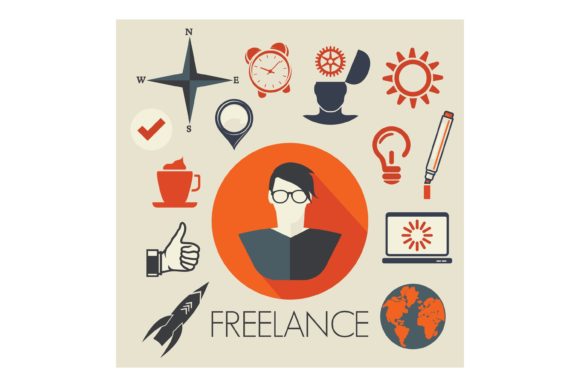
Freelance Symbols: A Versatile Resource for Creative Projects
Freelance Symbols is a valuable resource for designers, artists, and small business owners looking to expand their creative offerings. This collection of symbols and graphics is designed to be adaptable and user-friendly, making it an excellent choice for those who need high-quality, scalable images for various projects. Whether you're creating custom merchandise or designing digital content, Freelance Symbols provides a flexible solution that can be integrated into multiple platforms and software applications.
What Makes Freelance Symbols Unique?
At its core, Freelance Symbols offers a wide range of graphic elements that are optimized for use in vector-based design software. Unlike some other symbol libraries that may be limited in scope or quality, Freelance Symbols stands out due to its attention to detail and adaptability. Each symbol is crafted with precision, ensuring that they maintain clarity and definition at any scale.
One of the key strengths of Freelance Symbols is its compatibility with a variety of design tools. Whether you're using Adobe Illustrator CC, Adobe Suite, Inkscape, Corel Draw, or other similar programs, these files are engineered to work seamlessly across different platforms. This cross-software compatibility makes them ideal for users who may switch between tools or collaborate with others who use different design software.
Another distinguishing feature of Freelance Symbols is the format in which they are provided. These files are in EPS (Encapsulated PostScript) format, which is widely recognized for its scalability and print readiness. EPS files are particularly useful for projects that require high-resolution output, such as signage, packaging, and promotional materials. The ability to use these files across multiple mediums ensures that your designs remain consistent and professional-looking, regardless of the final application.
When to Use Freelance Symbols
Freelance Symbols are best suited for individuals and businesses that need a reliable source of scalable graphics for a variety of creative projects. If you're running a handmade business, creating custom merchandise, or developing a product line, these symbols can help streamline your workflow and enhance the visual appeal of your offerings.
For example, if you're designing shirts, wood signs, mugs, tumblers, cards, or party decor, Freelance Symbols can provide the perfect foundation for your designs. The versatility of EPS files means that you can easily integrate these symbols into your existing design assets without worrying about resolution loss or formatting issues.
Additionally, Freelance Symbols are well-suited for users who value efficiency and flexibility in their design process. Since these files are ready to use and compatible with multiple software applications, they eliminate the need for extensive customization or rework. This makes them an excellent choice for both beginners and experienced designers alike.
Comparing Freelance Symbols with Alternatives
While there are several options available for obtaining graphic symbols, Freelance Symbols offers a unique combination of quality, flexibility, and ease of use. When compared to other symbol libraries, one of the main advantages of Freelance Symbols is its focus on scalability and print readiness. Many alternative resources may offer a broader selection of symbols, but they often lack the same level of detail and adaptability that Freelance Symbols provides.
Another important consideration when evaluating alternatives is the file format. While many symbol libraries are available in PNG or JPEG formats, these are not as suitable for print or large-scale applications. EPS files, on the other hand, are specifically designed for high-quality output and are widely supported by professional design software. This makes Freelance Symbols a more reliable option for users who require precision and consistency in their work.
Additionally, the ease of integration with various design tools is a significant factor in choosing the right symbol library. Freelance Symbols' compatibility with Adobe Illustrator, Inkscape, and Corel Draw means that users can work within their preferred environment without encountering compatibility issues. This flexibility is especially beneficial for those who may use multiple design platforms or collaborate with others who have different software preferences.
Best Practices for Using Freelance Symbols
To get the most out of Freelance Symbols, it's important to understand how to properly use and integrate these files into your design projects. One of the first steps is to ensure that your design software supports EPS files. Most modern design programs do support this format, but it's always a good idea to verify compatibility before starting a new project.
Once you've confirmed that your software can handle EPS files, the next step is to import the symbols into your workspace. These files can be used as individual elements or combined with other design assets to create more complex compositions. It's also worth noting that EPS files can be edited and customized within your design software, allowing you to adjust colors, sizes, and layouts to fit your specific needs.
When working with Freelance Symbols, it's important to consider the intended use of your final product. For instance, if you're designing merchandise for sale, you'll want to ensure that the symbols are clearly visible and maintain their quality at the required size. This is where the scalability of EPS files becomes particularly advantageous, as they can be resized without losing clarity or definition.
Finally, it's recommended to keep a well-organized library of Freelance Symbols to make it easier to access and reuse them in future projects. By categorizing symbols based on type, theme, or purpose, you can streamline your workflow and save time during the design process.
Conclusion
Freelance Symbols is a powerful tool for anyone involved in creative design or product development. Its combination of high-quality graphics, scalability, and compatibility with multiple design software makes it a versatile choice for a wide range of applications. Whether you're creating custom merchandise, designing digital content, or exploring new creative ideas, Freelance Symbols provides a reliable and efficient solution that can help elevate your work.