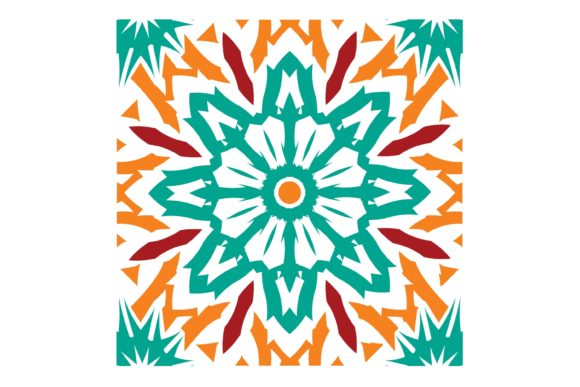
Tile Design and EPS Files: A Guide for Creative Projects
In the world of digital design, file formats play a crucial role in determining how your work is used, shared, and printed. One such format that stands out for its versatility and quality is the EPS (Encapsulated PostScript) file. Whether you're designing tile patterns for home decor or creating graphics for handmade products, understanding EPS files can elevate your creative projects to new heights.
What Is an EPS File?
An EPS file is a vector-based graphic format that allows for high-quality, scalable images. Unlike raster image formats like JPEG or PNG, which are made up of pixels, EPS files use mathematical equations to define shapes, lines, and colors. This makes them ideal for print and digital use where precision and clarity are essential.
The EPS format was originally developed for the PostScript language, which is used by many printers to interpret and render graphics. Today, it remains a popular choice among designers because it supports both vector and bitmap images within a single file.
Why Use EPS Files for Tile Design?
When it comes to tile design, EPS files offer several advantages:
- Scalability: EPS files can be resized without losing quality, making them perfect for large-format prints like wall tiles or floor patterns.
- Compatibility: They work seamlessly with most design software, including Adobe Illustrator CC, Adobe Suite, Inkscape, Corel Draw, and more.
- Clarity: Vector graphics maintain sharp edges and clean lines, ensuring your designs look professional at any size.
- Editing Flexibility: Since EPS files are vector-based, you can easily edit individual elements of your design without affecting the rest.
How to Use EPS Files in Your Projects
If you're looking to create custom products like shirts, wood signs, mugs, tumblers, cards, or party decor, EPS files are an excellent choice. Here’s how they can fit into your workflow:
1. Designing Tile Patterns
Tile design often involves repeating patterns, which can be complex to manage. Using an EPS file allows you to create a single tile unit that can be repeated across a larger surface. This ensures consistency and reduces the risk of misalignment or distortion.
For example, if you're designing a geometric tile pattern for a bathroom, you can create one tile in Adobe Illustrator and then repeat it across the entire layout. The EPS format ensures that each tile remains crisp and clear, even when scaled up for printing.
2. Creating Handmade Business Products
Whether you're running a small business or selling handmade items online, having access to high-quality EPS files can make all the difference. These files allow you to produce consistent, professional-looking products that stand out in the market.
Consider using EPS files to create custom designs for:
- Custom T-shirts
- Wooden Signs
- Ceramic Mugs
- Party Decor
- Business Cards
By using EPS files, you ensure that your designs remain editable and adaptable, allowing you to make changes or updates as needed.
3. Working with Multiple Software Programs
One of the biggest advantages of EPS files is their compatibility with a wide range of design software. Whether you're using Adobe Illustrator, Inkscape, or Corel Draw, you can open and edit EPS files without any issues.
This flexibility means you can collaborate with other designers or clients who may be using different software programs. It also makes it easier to share your work with others who may need to make adjustments or enhancements.
Common Misconceptions About EPS Files
While EPS files are highly versatile, there are some common misconceptions that can lead to confusion:
- Misconception 1: "EPS files are only for print." Reality: While EPS files are excellent for print, they can also be used in digital formats, especially when working with vector graphics on the web.
- Misconception 2: "EPS files are difficult to edit." Reality: With the right software, editing EPS files is straightforward and intuitive, especially for experienced designers.
- Misconception 3: "EPS files are outdated." Reality: Despite being around for decades, EPS files remain relevant due to their scalability and compatibility with modern design tools.
Getting Started with EPS Files
If you're new to working with EPS files, here are a few steps to help you get started:
- Choose the Right Software: Make sure you're using a design program that supports EPS files, such as Adobe Illustrator, Inkscape, or Corel Draw.
- Create Your Design: Design your tile pattern or product graphic using vector tools. Pay attention to alignment and scaling to ensure consistency.
- Export as EPS: Once your design is complete, export it as an EPS file. Be sure to select the appropriate settings to preserve quality and scalability.
- Use the File: Import your EPS file into other design software or send it directly to a printer for production.
Conclusion
Whether you're a beginner or an experienced designer, understanding the benefits and uses of EPS files can greatly enhance your creative process. From tile design to handmade products, EPS files offer a reliable and versatile solution for both print and digital applications.
By choosing EPS files, you're not just creating a design—you're building a foundation for future edits, collaborations, and professional results. So, next time you're working on a project, consider the power of EPS files and how they can help you achieve your creative goals.